AuroraOSP is a private-source Android 17 distribution built on the whole Google software
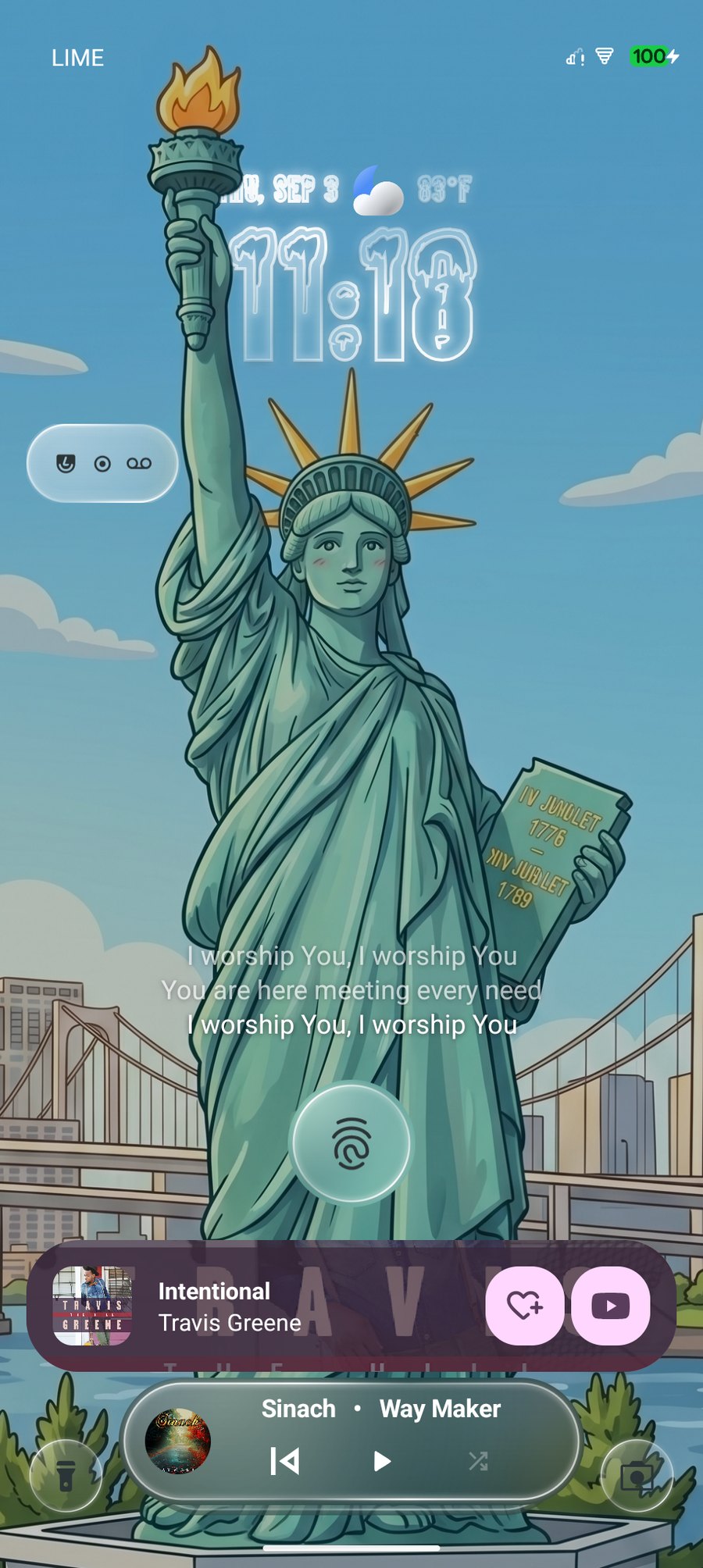
stack — then reworked: universal search in the launcher, a Now Bar on the lock screen,
Liquid Glass throughout, and AirDrop to Apple devices from an Android phone.
Aurora starts from LineageOS 24.0 and layers a genuine Google software stack on top —
then hands you the switches Google never shipped.
A real Pixel software stack
The whole of Google's System UI, reverse engineered from the CP2A release — not a
handful of ported pieces. Now Playing, Columbus Quick Tap, Pixel VPN, Adaptive Charging
and Play Store system updates all behave the way they do on a real Pixel.
Three build flavours. The full Google stack, a minimal Core set, or a completely
de-Googled Vanilla image — same Aurora feature set in each.
Passes Play Integrity
Built-in Play Integrity Fix — random or specific device, latest or canary properties
— with TrickyStore keybox management alongside it.
Liquid Glass, everywhere it belongs
Aurora's own surface treatment — clear glass over the blurred backdrop, picking up your
wallpaper — implemented across Quick Settings, the volume dialog, the power menu, the
Settings homepage, the launcher and the lock screen clocks. Every part of it can be
left on Default instead.
The Pixel search bar in full. One field finds apps, files, settings, contacts,
Quick Settings tiles, Play Store listings, tips and the web — not just the apps
already on your phone.
Now Bar
A live card on the lock screen for whatever is going on — music, active downloads,
live sports scores, charging, the flashlight. Liquid Glass themed.
AirDrop, from Android
Quick Share sends files straight to Apple devices over AirDrop. No intermediary
app, no cable, no asking someone to install something first.
Lyrics on the lock screen
Aurora fetches the album art and lyrics your music files are missing, then follows
the words on the lock screen in time with the track.
Quick Settings, resized
Tiles resize to any width and any height, not just the two widths stock
allows. Each keeps its own size in the collapsed shade, and a tabbed live editor
rearranges the panel you are actually looking at.
Eight power menus
Default grid, capsule toolbar, size hierarchy, tonal outline, vertical list, bento
grid, colour tiles and liquid glass — with a live editor to rearrange it while you
watch.
 auroraOSP